轻松编辑 PDF
快速、精准地修改您的 PDF 文档——无需下载、无需麻烦,只需在浏览器中使用强大的编辑功能。


18,243 评价
将一个或多个文件拖放到此处
或
最大 250 MB
最大 250 MB
如何在线编辑 PDF
只需几步,即可快速轻松完成 PDF 编辑。
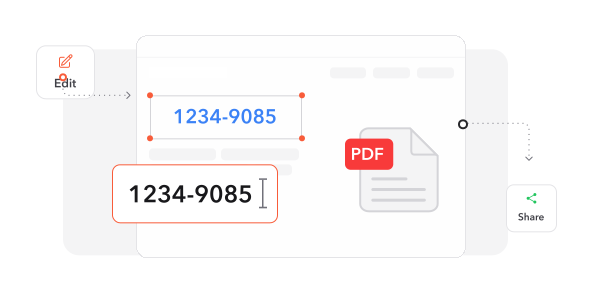
1
导入文档. 选择并导入您的 PDF 文件,开始使用我们的全方位编辑平台。
2
应用更改. 使用我们的工具包修改内容——更新文本、放置图形、绘制注释并插入元素。
3
导出结果. 选择输出格式,并将增强后的文档保存到您的设备。
深受像您一样的用户信赖
看看其他用户如何使用 Make Me PDF 编辑 PDF。

12月16日
轻松且全面
界面简洁而强大,具备所有必要功能。编辑器运行流畅高效,能满足我的所有编辑任务。


小轩
12月13日
出色的支持体验
他们的服务快速、可靠,并覆盖所有 PDF 需求。客户支持及时解决了我的问题,带来了愉快的服务体验!

王雅琳
12月15日
卓越的质量与服务
感谢细致的工作和出色的客户服务!这款 PDF 编辑器提供了我进行高级文档编辑所需的一切。

阿磊
今天有 2438 人生成了 PDF 文件
@kat**
21 分钟前
@luc**
17 分钟前
@ari***
7 分钟前
受信赖并由 行业专家保障安全



为什么选择我们的工具来编辑 PDF
直接修改文本
通过点击式编辑即时更正错误或更新内容。无需格式转换,即可直接修改 PDF 文本。
完整编辑工具包
标记重要部分、嵌入媒体、绘制注释并添加评论。功能全面的工具集,助您全方位增强文档。
以用户为中心的界面
简洁直观的设计让您轻松上手,无需学习即可立即高效工作。
多格式导出
将文档转换为 Word、PowerPoint 或图像格式,同时完美保留原始版式和视觉元素。
集成数字签名
可选择多种签名方式,通过简化的签署流程快速验证文档。
浏览器即时访问
无需安装,直接通过网页浏览器立即开始编辑,节省设备存储空间。




常见问题
快速了解如何充分利用我们的工具。