在线签署 PDF 文档
使用多种安全身份验证方式创建具有法律效力的签名


18,243 条评价
将一个或多个文件拖放到此处
或
最大 250 MB
最大 250 MB
如何在线签署 PDF
只需几步,即可快速轻松完成 PDF 编辑。
1
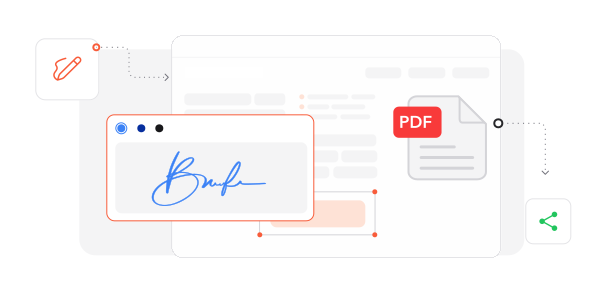
导入文档. 将您的 PDF 加载到我们的安全数字签署环境中。
2
创建签名. 通过手绘、输入或导入图片生成您的电子签名,然后将其放置在合适位置。
3
完成已签署文档. 完成签署流程并保存经过认证的文档。
深受像您一样的用户信赖
看看其他用户如何使用 Make Me PDF 签署 PDF。

12月3日
让合同签署轻松无比
可以直接在文档上放置我的签名,非常方便,省去了打印和扫描的麻烦。


胡佳琪
11月28日
处理数字表单很高效
非常适合以数字方式填写和签署表单,大幅减少了文书处理时间。

王晓雯
12月1日
极大节省时间
这款 PDF 签署工具改变了我的工作方式。不再需要打印、签名再扫描文档。

郭同学
今天有 2412 人生成了 PDF 文件
@joe***
15 分钟前
@ari***
12 分钟前
@vik***
3 分钟前
受信赖并由 行业专家保障安全



为什么选择我们的工具来签署 PDF
可持续的数字化流程
通过环保的电子文档签署减少纸张浪费和打印成本,既节省预算,也保护地球。
灵活的签名创建方式
使用多种方式创建电子签名:通过触控设备手写、使用优雅字体输入,或导入现有签名图片。
浏览器即时访问
无需安装,通过任意网页浏览器即可立即完成文档签署,节省设备存储空间并保持流程顺畅。
企业级保护
先进的加密协议和安全数据传输可在整个签署过程中保护您的机密文档。
全球法律认可
使用 Make Me PDF 创建的电子签名符合国际法律标准,可在不同司法管辖区提供真实有效的文档验证。
一站式文档中心
将签名放置与全面的编辑功能结合,在同一平台完成文档准备和签署。




常见问题
快速了解如何充分利用我们的工具。