輕鬆編輯 PDF
快速且精準地修改 PDF 文件——無需下載、不費力,只要在瀏覽器中即可強大編輯。


18,243 則評論
將一個或多個檔案拖放到這裡
或
大小最高 250 MB
大小最高 250 MB
如何線上編輯 PDF
只需幾個步驟,即可快速輕鬆編輯 PDF。
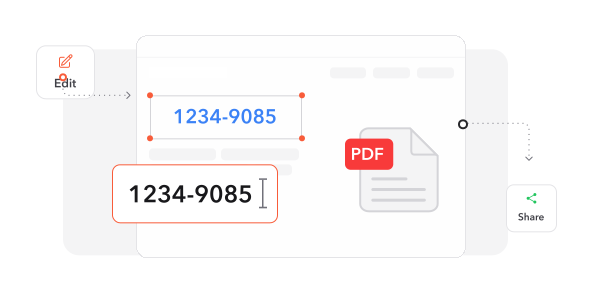
1
匯入文件. 選取並匯入您的 PDF 檔案,開始使用我們完整的編輯平台。
2
套用變更. 使用我們的工具組修改內容:更新文字、放置圖形、繪製註解並插入元素。
3
匯出結果. 選取輸出格式,並將增強後的文件儲存到您的裝置。
深受像您一樣的使用者信賴
看看其他使用者如何使用 Make Me PDF 編輯 PDF。

12月16日
輕鬆又完整
介面簡單卻功能強大,具備所有必要功能。這款編輯器在我的所有編輯工作中都能順暢且有效地運作。


小豪
12月13日
出色的支援體驗
他們的服務快速、可靠,並涵蓋所有 PDF 需求。客服迅速解決了我的問題,帶來令人滿意的服務體驗!

佳穎
12月15日
卓越品質與服務
感謝細緻的工作與出色的客服!這款 PDF 編輯器提供我進行高階文件編輯所需的一切功能。

小廷
2438 人今天已產生 PDF 檔案
@kat**
21 分鐘前
@luc**
17 分鐘前
@ari***
7 分鐘前
信賴與安全保障來自 業界專家





為何選擇我們的工具來編輯 PDF
直接修改文字
透過點選即可立即修正錯誤或更新內容。無需繁瑣的格式轉換,即可直接修改 PDF 文字。
完整編輯工具組
標記重要段落、嵌入媒體、繪製註解並新增留言。功能完整的工具組,全面提升文件品質。
以使用者為中心的介面
簡潔直覺的設計讓您輕鬆操作,無需學習即可立即提升工作效率。
多格式匯出
將文件轉換為 Word、PowerPoint 或圖片格式,同時完美保留原始版面和視覺元素。
整合式數位簽署
從多種簽名方式中選擇,透過精簡的簽署流程快速驗證文件。
瀏覽器即時存取
無需安裝任何軟體,直接透過網頁瀏覽器立即開始編輯,節省裝置儲存空間。




常見問題
快速找到關於充分運用我們工具的問題解答。